 AI Voice Feature Now Live
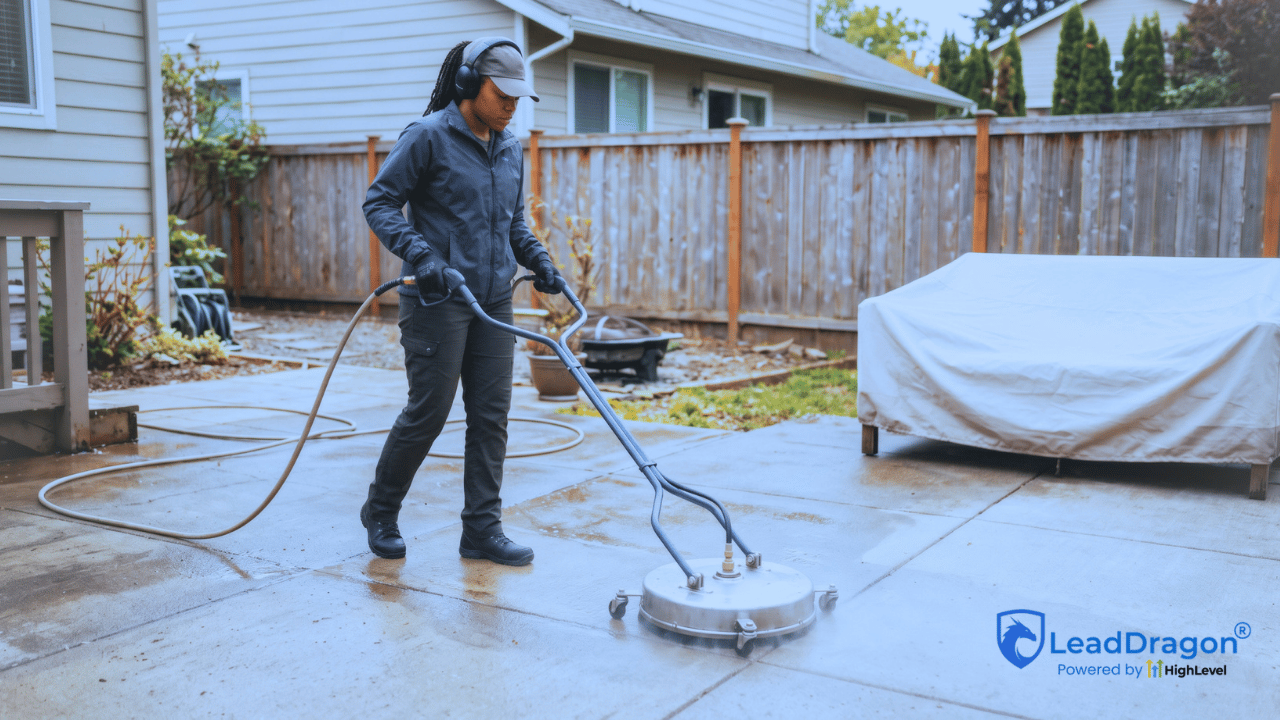
Pressure washing speed to lead becomes harder to control when the people who answer the phone are also the people doing the cleaning. A form can arrive halfway through a house wash. A call can come in while the crew is unloading equipment. The prospect has made contact, but nobody is free to start a conversation.
An automatic acknowledgement helps, though it is only one part of the response. If the customer receives a text right away and then waits the rest of the afternoon for an actual next step, the business has acknowledged the inquiry quickly without really moving it forward.
For a small pressure washing team, the first few minutes need a workable rule: capture the inquiry, send an accurate response, collect whatever is missing, and put the next action in front of somebody who can take it. The crew should not have to stop a running job to make that happen.
Start the response clock when the customer reaches out
The clock starts with the customer’s action: a call, form submission, chat message, or ad inquiry. It does not start when the owner finally sees a notification.
Take a simple example. A house-washing form arrives at 10:06 a.m. The acknowledgement sends at 10:06, but nobody has opened the request by 10:18. At 10:24, the office sends the first personal reply. In that case the business has an immediate acknowledgement and an 18-minute gap to human contact. Both numbers matter, and they describe different parts of the experience.
Set separate expectations for automated acknowledgement and staff response. A small team may decide that new business-hour inquiries deserve a human review within a few minutes, then give somebody else the request when that window passes. That is an internal operating target, not a promise to every caller or a universal industry benchmark.
The immediate question is who can act while the crew cannot. Once that is clear, the business can choose a realistic response window and measure when it misses.
Forms and live calls should not take identical first paths
A website form usually arrives with at least some written context. If it captures the service address and whether the person needs driveway cleaning, house washing, or another service, the first message can confirm receipt and ask only for something genuinely missing.
HighLevel’s Form Submitted workflow trigger can start a response when a selected HighLevel form arrives. A lead from an outside ad form or another website system needs its own verified connection before anyone assumes the same trigger will catch it.
A phone call is different. When somebody answers, the team can ask what the caller needs. When no one answers, the business may only have a phone number. The first text needs to discover whether the caller wants a new cleaning quote, has a question about an existing job, or reached the wrong company.
LeadDragon’s inbound and outbound calling tools give the business a place to handle calls and contact records. The phone route still needs to match how the company actually handles new and existing customers.
Missed-call text-back needs a repeat-caller rule
Missed calls create a particular problem when the crew is working. The caller may try twice because the first attempt rang out. Without a guard, the same person can receive two automatic apologies and still have no person responsible for calling back.
HighLevel’s Missed Call Text Back documentation states that its built-in feature can send a message after every missed call, including repeated attempts from one number. A custom workflow can account for repeats, recent conversations, or an already-open request so the caller is not treated as brand new every time.
A useful first message could say: “Sorry we missed your call. Are you looking for a new pressure washing quote or calling about an existing job?”
That message creates a way to answer without pretending someone has already reviewed the request. Behind it, an owner or office person still needs a callback task when the call requires one. Text-back is the recovery opening, not proof of a recovered lead.
The first response should not promise a quote or a visit
For a new form inquiry, a plain acknowledgement works: “Thanks for contacting our pressure washing team. We received your request. Could you confirm the property address so we can review the next step?” If the form already has a complete address, ask something else the business truly needs or leave the question for staff.
Be careful with phrases such as “We can fit you in today” or “Your quote is on the way.” The office may not have checked service area, crew availability, access, or the work involved. A fast message can create a difficult expectation if it commits the business to an estimate or appointment nobody has approved.
Keep the reply channel open through the company’s two-way SMS and conversations setup where it is configured and permitted. The customer should be able to answer one question and have that answer reach the same contact record, rather than fill out a second form.
Collect enough context to send the lead in the right direction
The first exchange needs fewer questions than a full quote intake. The business usually needs to know what the person wants cleaned, where the property is, and whether there is a genuine scheduling constraint. A house wash before a real-estate showing may need a different callback priority from a driveway request with no firm date.
Service area comes early. If the address is outside the company’s normal coverage, somebody should make that decision before promising an estimate visit. When location details are incomplete, ask for the city or address rather than guessing from the caller’s area code.
Photos, square footage, surface condition, water access, and more detailed estimating questions can wait until the right person reviews the inquiry. The first-response process should uncover the reason for contact and the next action, not try to complete the entire quote while the crew is holding a pressure washer.
Assign the request to someone who can actually respond
Sending the owner a notification is not the same as assigning responsibility. If that owner is driving or finishing a job, the alert can sit unread for another hour. The system needs a primary person and a rule for what happens when that person cannot respond.
HighLevel documents a workflow pattern that uses Assign to User followed by an Internal Notification. The notification should reach the assigned person after the assignment, not every employee in the account. In LeadDragon, the team can build its own version around available staff, service areas, or the person responsible for new estimates.
For an owner-operated company, the backup may be an office assistant who can collect details and offer a callback time. In a two-crew operation, it might be whoever is off the current job. If nobody is available, the business needs a clearly marked callback queue with a due time rather than silently leaving the request in an inbox.
The important status is not “notification sent.” It is “someone accepted this next action.” The record should show that person’s name and what they intend to do.
Give the backup a deadline, not another vague alert
Consider what happens when a new customer replies while the assigned person is still out cleaning. The reply changes the situation. Somebody now needs to continue the conversation, and another generic alert to the same busy phone will not solve it.
The underlying HighLevel platform supports waiting for a team member’s reply and taking a timeout path if nobody responds. Its User Replied guidance describes using a wait condition and escalation action to notify a backup or create a task. That is a useful way to test the real handoff rather than assuming a delivered notification means the work was accepted.
Define the fallback by staffing reality. A daytime backup might attempt a call. After hours, the next staffed person may receive the task in the morning. Where the business advertises emergency or on-call coverage, the route needs to reflect actual people available to take those calls. The automation cannot create staff availability that does not exist.
After-hours coverage must say what happens next
A homeowner filling out a quote form at 9:30 p.m. can receive an acknowledgement without the company pretending the office is open. State the real next step: the team has the request, the customer can supply the address or service type, and the office will review it during its next staffed period.

If the company offers a booking link after hours, it should lead to an appointment type that staff can honor. A calendar for estimate visits is not necessarily the pressure washing crew’s actual job schedule. LeadDragon’s team calendar tools can support appointments, but the company still has to choose which requests can self-book and which need a call first.
Timing controls matter here. HighLevel’s workflow settings distinguish contact time zones and communication windows. Those settings can hold scheduled messages until a permitted window, so the team should test its after-hours acknowledgement separately instead of assuming every message behaves the same way.
When a prospect replies, continue that conversation
The first reply may solve the location question, ask for a price, request a call, or say the homeowner already found someone else. Each one changes the next action. Continuing to send “Did you get our message?” after an answer makes the business appear absent even though its automation is active.
HighLevel supports a Customer Replied trigger and a workflow Stop on Response setting for messages sent from the applicable workflow. A staff member’s personal reply can also be detected through User Replied. The setup needs to move the contact out of the first-touch chase while preserving any human task that still has to happen.
If the customer wants an estimate, decide whether the next action is a callback, an inspection appointment, or a request for a useful photo. A straightforward service inside the coverage area may be ready for an approved booking option. An unusual surface or commercial property may need staff judgment. That decision begins the broader quote process; it does not belong entirely inside a first-response message.
The separate Pressure Washing Lead Follow-Up guide covers what happens after the quote request enters that fuller estimate and sales path.
No response should lead to a short, bounded follow-up
Some people will not answer the acknowledgement. They may be away from their phone, comparing companies, or waiting for someone in the household to make a decision. One context-aware follow-up can help: a reminder about the requested service or the missing address, rather than a string of generic nudges.
But the first-response workflow needs an endpoint. Stop when the prospect books, opts out, is outside the service area, declines, or receives a personal response from staff. If a lead still needs a later estimate conversation, hand that record to the normal quote follow-up process instead of leaving two campaigns talking at once.
For text messages, check the contact’s permission and opt-out status before sending. HighLevel’s LC Phone Messaging Policy explains sender-identification, opt-out, and DND controls for business messaging. The fact that an inquiry arrived should not become an excuse for ongoing messages after the person asks to stop.
Measure first response separately from the next result
A pressure washing company can report an impressive average auto-response time while quote requests are still sitting untouched. To measure pressure washing speed to lead, track at least two clocks: how long it took to acknowledge the inbound inquiry, and how long it took for a person to take the next meaningful action. A real callback attempt or a personal reply is different from another scheduled text.
Then check whether that first exchange produced a usable next step: a callback accepted, an estimate visit booked, a photo request answered, or a documented decision that the job is outside the service area. The point is not to credit every acknowledgement as a conversion.
HighLevel has Conversation SLA reporting widgets for response trends and breached response targets when the account has SLA tracking configured. They can help monitor conversations, but a form’s arrival-to-human-review clock may need its own event timestamps or workflow reporting. Verify which event starts the timer before comparing numbers across forms, calls, and texts.
LeadDragon’s sales pipelines give the office a place to record whether that first exchange became a callback, estimate appointment, or closed inquiry rather than just another sent message.
Owners should also see the requests that had no accepted owner within their chosen window. Those are the cases to open first, because a fast acknowledgement did not lead to actual coverage. A weekly review of a few failures may reveal a missing backup, a disconnected form, repeated missed-call texts, or a notification sent to the wrong person.
Test the first minutes while the crew stays unavailable
Do not test only by submitting a form while somebody is watching the screen. Leave the owner unavailable and make the backup path prove itself.
Submit from the website, then try the actual ad form if the business uses one. Call the tracked number and let it ring out twice. Reply to the acknowledgement. Ask for service outside the coverage area. Submit after hours. Book an eligible estimate slot, and then verify that the early chase stops. Use a contact who has opted out of SMS to confirm the system does not try to keep texting them.
For each test, look at the contact record and the person responsible. The useful details, customer reply, and a single acknowledgement should be there. If nobody took over, was a fallback task created? Could the staff member act without asking the homeowner to repeat what they had already supplied?
If one of those steps breaks, fix that branch before increasing the speed target. A one-minute text cannot compensate for a handoff that never reaches a person.
Pressure washing speed to lead is a coverage decision
A crew should be able to keep working without making new prospects feel ignored. The first-response setup needs to acknowledge the inquiry, capture the few details that affect routing, and put a real person or a real appointment path behind the message. When the first owner is unavailable, the backup rule must work too.
LeadDragon brings workflow automation, calls, SMS conversations, contacts, and pipelines into the customer-facing side of that process. It does not decide which surfaces need inspection or take over your field schedule. To see the current system, watch the LeadDragon demo. You can also review LeadDragon plans before deciding what to configure for your team.
