 AI Voice Feature Now Live
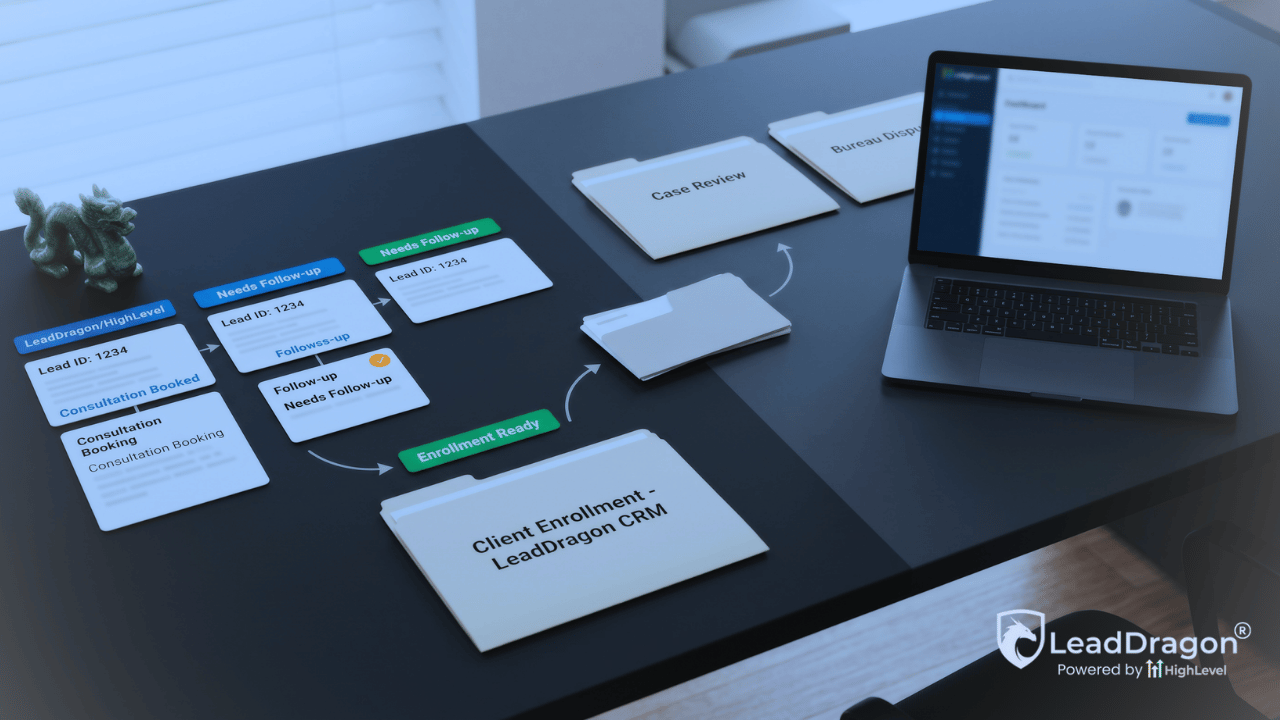
A credit-repair business can have solid dispute software and still lose prospects before fulfillment ever begins.
Ads generate inquiries. Forms collect names and phone numbers. Calls reach the office. A few prospects book consultations, some disappear after the first reply, and others attend but never complete enrollment. The dispute platform may work well once a person becomes a client, but it does not automatically organize the sales journey that comes first.
That is the role of a proper GoHighLevel credit repair setup. LeadDragon, which is built on HighLevel, should handle lead capture, fast response, consultation booking, sales follow-up, enrollment tracking, and the communication that belongs around those steps. Credit Repair Cloud, DisputeBee, or another dispute platform should continue to hold the fulfillment work it was built to perform.
The setup works when the handoff between those systems is clear. It becomes messy when both tools try to own the same client status, send the same updates, or store more sensitive information than the marketing system needs.
Start by Dividing the Client Lifecycle Between the Two Systems
Do not begin with a workflow. Begin with ownership.
LeadDragon’s Credit Repair CRM can hold the front half of the relationship: where the lead came from, what they requested, who followed up, whether they qualified, which consultation they booked, what happened after the appointment, and when the sales process reached an approved enrollment state.
The dispute platform should take over where fulfillment begins. That may include client agreements and portal access, credit-report work, dispute records, letters, dispute rounds, client tasks, and the operational status of the credit-repair service.
| Part of the lifecycle | Primary system | What should be visible elsewhere |
|---|---|---|
| Lead and consultation | LeadDragon | Only the approved client details needed when enrollment is complete. |
| Enrollment handoff | Shared transition | Stable contact and client IDs, handoff status, assigned staff, and a clear failure alert. |
| Dispute fulfillment | Credit Repair Cloud, DisputeBee, or another fulfillment platform | Only verified events needed for client communication, retention, or sales reporting. |
This division prevents the sales pipeline from turning into a second dispute tracker. It also prevents the dispute platform from becoming the place where marketing staff try to chase unbooked leads.
Build the Compliance Rules Before the Follow-Up
Credit repair is not an ordinary appointment funnel. The message language, agreements, payment process, cancellation rights, call practices, consent records, and opt-out handling need review before automation goes live.
The Credit Repair Organizations Act bars misleading claims, requires written contracts, restricts advance payment, and gives consumers cancellation rights. The Telemarketing Sales Rule also sets disclosure, calling, do-not-call, and payment requirements that can affect telephone sales activity.
This article is not legal advice. Each operator should have qualified counsel review the enrollment process and the exact messages used in calls, texts, email, funnels, and agreements.
The CRM setup should preserve the evidence the business needs to follow its approved process. That includes the source of the inquiry, consent language shown at submission, communication preferences, opt-outs, appointment history, and the staff member responsible for the next action. Automation should stop when a person opts out, withdraws, complains, or reaches a state that requires human review.
Connect Every Lead Source to One Sales Record
Credit-repair inquiries may arrive from paid ads, landing pages, website forms, inbound calls, referrals, social messages, chat, or an event. LeadDragon can bring those paths into one contact record and one active sales opportunity rather than leaving the office to compare separate inboxes.
The first response should confirm that the inquiry arrived and tell the person what happens next. It should not make a credit outcome claim or sound as though the person has already qualified for service.
Calls need the same treatment. When the office misses a call, a text-back can acknowledge it and invite a reply. The workflow should also notify the assigned person and stop once a real conversation begins. A missed-call text is useful only when someone owns the reply.
Keep the first intake light. The sales team may need the person’s contact details, referral source, state, preferred contact method, broad reason for seeking help, and consultation availability. Do not collect full credit reports, dispute details, account numbers, or other fulfillment data through a general marketing form merely because a field can be added.
Source tracking should survive every later step. A referral partner, paid ad, workshop attendee, and returning prospect may all book the same consultation, but the business still needs to know which path produced the enrollment. Use one active opportunity for the current sales decision and prevent repeat form submissions or missed-call replies from creating a second copy of the same prospect. When another inquiry truly represents a separate service decision, staff should be able to create it on purpose rather than through accidental duplication.
Qualify Before Offering the Wrong Consultation Path
A booking link should follow the company’s approved qualification rules. It should not be the first and only decision in the funnel.
The office may need to confirm location, service fit, communication consent, language needs, referral relationship, and any internal criteria that affect the consultation. Some businesses may allow direct booking after a short form. Others may need a brief call or manual review first.
Once the person qualifies, LeadDragon can send the correct calendar, confirmation, reminders, and preparation instructions. The event should have a named owner, a clear appointment type, and a defined result after the call. A completed consultation should not remain in the same stage as someone who never answered the first message.
Use a Sales Pipeline That Ends at the Fulfillment Handoff
The pipeline should describe the prospect’s sales movement, not the later dispute rounds.
A practical sequence may begin with New Inquiry, then move through Contact Attempted, Qualified, Consultation Booked, Consultation Completed, Enrollment Pending, and Enrolled and Handed Off. Leads who are not ready, not qualified, or no longer interested need their own clear outcomes rather than remaining open forever.
The word enrolled needs an internal definition. A verbal yes, a booked call, a payment attempt, and a completed approved onboarding process are not interchangeable. The company should define the point at which the required disclosures, agreement, cancellation process, payment rules, and other approved steps permit the CRM to treat the prospect as a client.
After that point, the dispute platform becomes the source for fulfillment. Do not extend the sales pipeline through bureau responses, dispute rounds, item deletions, or other work that belongs to the client-service platform.
The current LeadDragon plans include CRM, forms, calendars, pipelines, email and text tools, and onboarding. Operators who want a done-for-you build or a more involved third-party connection should review the plan boundaries before assuming every integration is included in a standard account.
Follow Up Based on Why the Prospect Stopped
One long nurture sequence cannot handle every stalled lead well.
A person who submitted a form but never replied needs a different path from someone who qualified but did not choose a time. A no-show needs a direct recovery message tied to the missed consultation. Someone who attended and postponed enrollment may need a slower follow-up based on the discussion and the next agreed step.
Old-lead reactivation needs suppression rules before the first message goes out. Remove active clients, people who opted out, unresolved complaints, and records with unclear consent. Use the last known stage and prior conversation so the outreach does not pretend the relationship is new.
Every path should stop when the person replies, books, enrolls, becomes ineligible, or asks not to be contacted. The goal is not to keep sending until someone gives in. It is to make the next action visible and avoid leaving legitimate interest unattended.
Send a Clean Enrollment Record Into the Dispute Platform
Once the approved enrollment point is reached, LeadDragon should create or update the client in the fulfillment platform without forcing staff to retype the same basic details.
LeadDragon publicly supports a Zapier connection with Credit Repair Cloud. Credit Repair Cloud also documents Zapier integrations and a developer API that can add or update leads and clients. A DisputeBee connection should use the specific Zapier action or other supported path confirmed for the account and data involved.
The transfer should use the smallest data set needed for the handoff. That may include name, approved contact details, LeadDragon contact ID, enrollment status, assigned staff member, referral source, selected service, and any external client ID returned by the dispute platform.
Do not push a person’s entire credit file, bureau data, account details, or dispute history into general CRM workflows without a documented need and an approved security process.
The receiving system should confirm that it created or matched the correct client. LeadDragon should store the returned client ID and show a visible exception when the handoff fails. A silent error can leave the sales team believing the client is active while fulfillment never received the record.
Do Not Let Both Systems Send the Same Client Messages
Communication after enrollment needs an owner.
LeadDragon may continue to handle messages tied to the sales relationship, scheduled check-ins, approved education, referral requests, or retention campaigns. The dispute platform may already provide portal access, document requests, automated emails, and fulfillment updates based on the real client record.
When both systems send welcome messages, task reminders, billing notes, or progress updates independently, the client can receive duplicates or conflicting instructions.
A cleaner setup uses verified events. The dispute platform sends a confirmed state, and LeadDragon responds only when that event belongs in the communication plan. A timer inside the CRM should not invent a dispute update simply because a certain number of days passed.
Report the Front Half of the Business Honestly
LeadDragon should show how the sales system performs before fulfillment begins.
The useful reporting questions include which sources produced inquiries, how quickly staff responded, how many prospects qualified, how many consultations were booked, the show rate, the enrollment rate, and how many older leads returned. The same data can expose appointments without owners, qualified leads without a next action, and sources that create volume but few enrolled clients.
Do not present enrollment as a credit-repair result. A signed client is not the same as completed fulfillment or a verified consumer outcome. Those results belong to the system and reporting process that hold the actual service records.
Test the Full Path Before Sending Live Leads
A working form is not enough.
Submit a controlled lead through each major source. Confirm that LeadDragon creates or updates the right contact, preserves the source, records consent, assigns the next action, sends the approved response, and offers the right consultation path. Move the record through a no-booking path, a no-show, an enrollment, an opt-out, and a failed handoff.
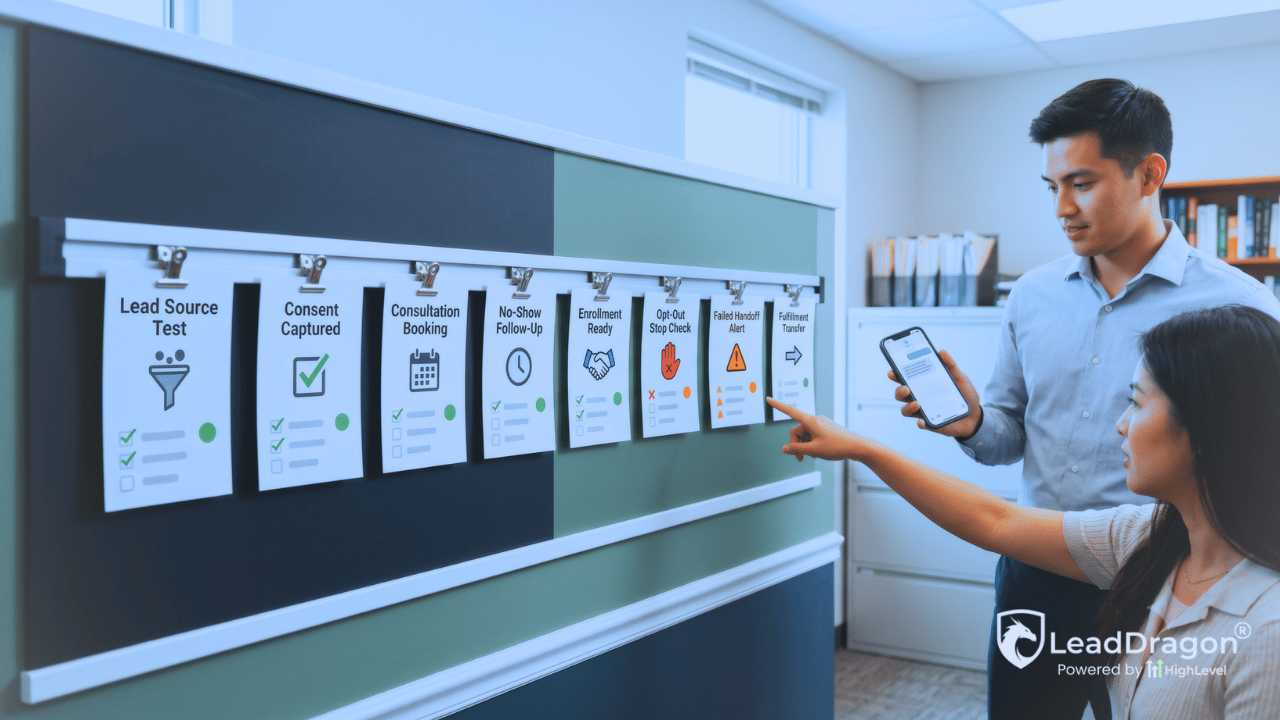
For the enrollment test, confirm that the fulfillment platform receives the intended client fields, returns the correct identifier, and does not create an unnecessary duplicate. Then test one verified client event coming back into LeadDragon and check that it starts only the approved communication.
The finished setup should make one boundary obvious: LeadDragon gets the prospect from inquiry to enrollment. The dispute platform performs the dispute work. The connection passes only the information each side needs.
Choose the Setup That Matches the Work
A credit-repair operator who needs the CRM, calendars, forms, pipelines, follow-up tools, onboarding, and support can start with the LeadDragon Elite Plan and create an account.
A business that needs a custom pipeline, migration, advanced workflow work, or a more involved Credit Repair Cloud or DisputeBee connection should discuss the build before assuming a standard setup covers it.
Build the Sales Layer Around Your Dispute Software
Start With LeadDragon or Review a More Involved Setup
Use LeadDragon for lead capture, consultation booking, follow-up, enrollment tracking, and the approved communication around those steps. Keep dispute fulfillment in the platform built to perform it.
Create Your LeadDragon Account
Need a custom pipeline, migration, or integration? Talk to us about your setup.
